Why do my notes sometimes open in Note view and sometimes in Canvas view?
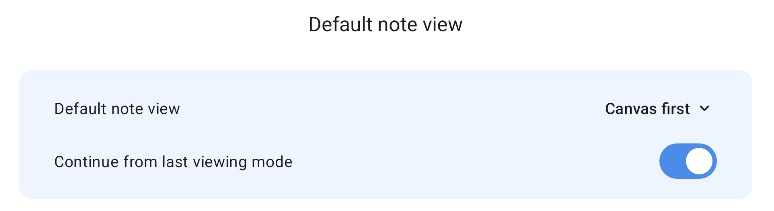
Each note remembers the view you last used. Your default note view is used when a note has no viewing history, or when “Continue from last viewing mode” is turned off.
How do Note view and Canvas view work?
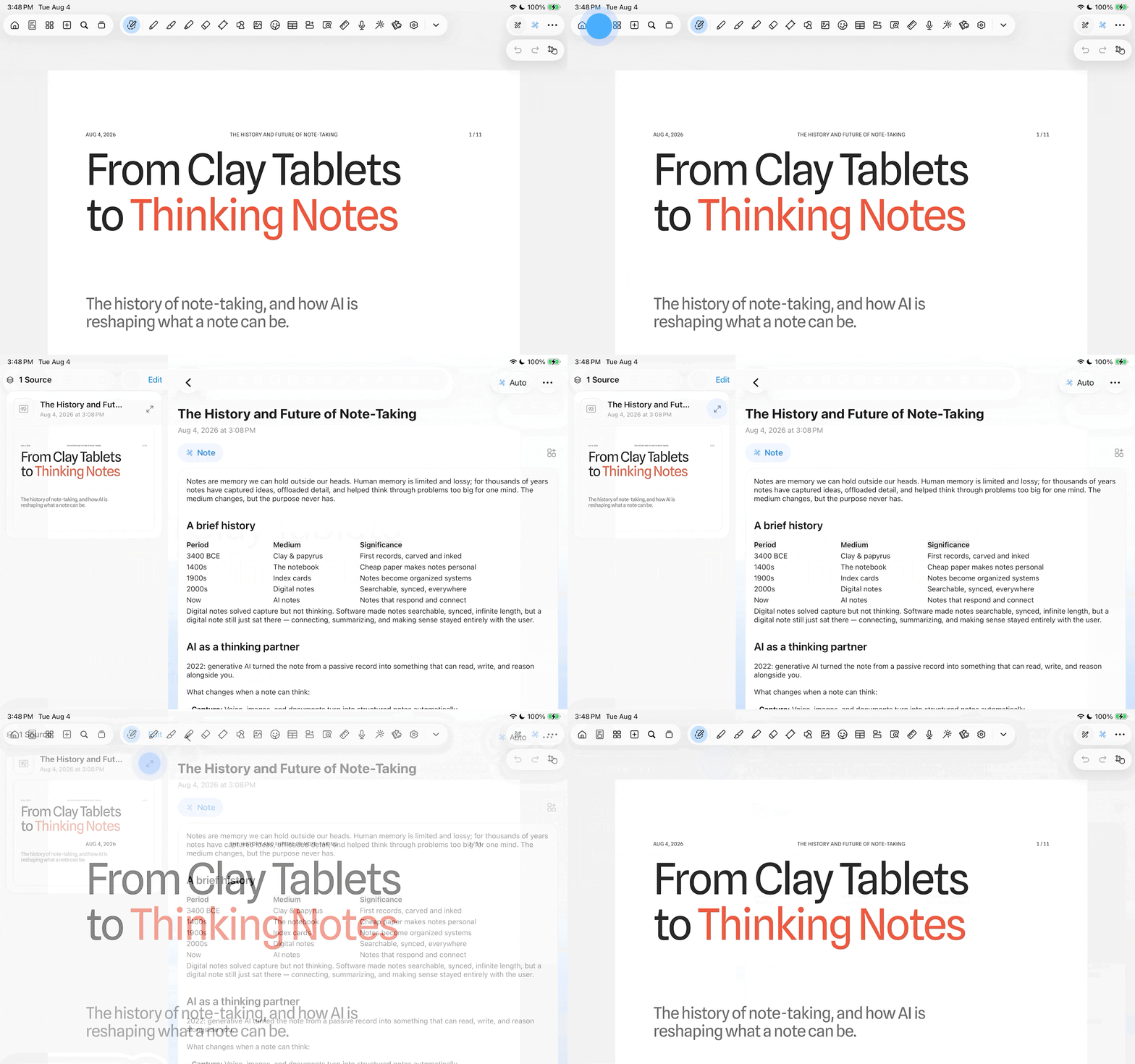
For notes with a canvas source, you can switch between the canvas and note view at any time.
Read more: What are AI Notes and Custom Tabs?
Choose how to open your note
Each note remembers the view you last used on that specific note — tracked individually per note, not app-wide. So one note can reopen in Canvas while another opens in Note, based on how you last left each one.
Two settings control this:
Continue from last viewing mode (on by default) — reopens each note in whatever view you last left it in.
Default note view ("Note first" / "Canvas first") — the fallback for notes with no viewing history yet, or when the switch above is off.
Turn off "Continue from last viewing mode" if you'd rather every note always open the same way.
You can find this setting in Notewise App → Settings → Note Section → Default note view