Select text in PDFs and text boxes
Ensure you're in View mode, or that Single Finger is not set to Draw, then long-press the text you want to select.
You can always long tap to select text if you're in View mode.
If you're in Edit mode and would like to select text, make sure that Single Finger is not set to Draw. Learn more about finger input.
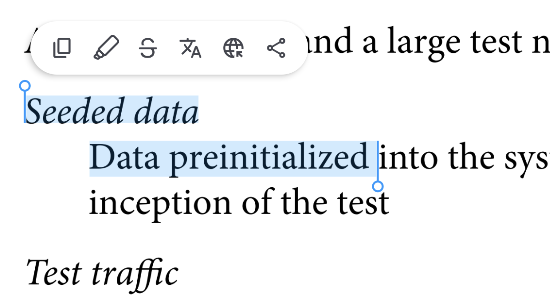
After the text is selected, additional options will appear, allowing you to perform actions such as Copy, Highlight, Strikethrough, Translate, Search, and Share. The available options may vary depending on your device and OS version.
Note:
If your PDF contains selectable text, you can select it directly.
If your PDF is scanned or image-based, text selection requires Notewise Cloud with Notewise AI (Text Recognition) to process the content first. Learn more about how this works here: Getting Started with Notewise Text Recognition.
Was this helpful?
Still need help? Ask the team