Changelog

Follow new updates and improvements to Notewise.

4.1

Meet Notewise 4.1
A more complete note-taking system for every way you study and work.

More For Every Note

  • Chat with Audio in Real Time: Ask questions as a meeting or lecture unfolds and stay present always
  • Interactive Tabs with Flashcards: Turn notes into what you need: flashcards, podcasts, quizzes & more
  • Canvas Toolbar: Place the toolbar on any side including left or right and set up the Canvas your way
  • Sidebar: Add, review and rearrange sources and Interactive Tabs in one place. Show AI overviews when you need them, and hide them when you want to focus.
  • Canvas Layout: Improved phone and compact layouts make it easier to sketch ideas anytime, anywhere
  • Richer notes: Add images to Text & Audio Notes for visual references, with your information saved automatically
  • Canvas Controls: Navigate the Canvas more easily with improved touchpad, mouse & keyboard support
  • More sources: Create notes from website links or add links as sources, bringing web research into Notewise

Optimized for iOS27

  • Siri AI: Create, edit and find information in your notes with a quick Siri command
  • Visual Intelligence: See it, find it. Use your camera to identify what you see and find relevant content in Notewise
4.0

Meet Notewise 4.0, Your 24/7 thinking partner. It brings together every way you think in one place, so ideas connect, decisions flow and nothing you save gets lost.

Write Your First AI Note

  • Capture Anything: Start where the thought lives. Begin a note with audio, text, files, handwriting or even images, then add any other format within the same note.
  • Note: A living note that builds itself from everything you capture, bringing forward the most important details. It auto-updates with every edit.
  • Custom Tabs: View the same note in 20+ formats, from action items to Cornell notes, or create your own.
  • In-Note Chat: Ask anything about the note you’re in, across its recordings, canvas, text, images and files.
  • Global Chat: Chat across every note and the web from one place, with the context of your work already there.

Your Canvas, Shaped by Your Feedback

  • Redesigned Toolbar: Customize your toolbar. Keep the tools you use, hide the ones you don’t and reach more colours in Quick Control.
  • Connector: Link any two elements to connect ideas, build diagrams and map workflows.
  • Font Selection: Choose from more than 2,000 Google Fonts to create beautiful notes.

More for Every Plan

  • Free and Unlimited Plan users can now import all supported formats, including docs and slides, and upload videos to the canvas.
  • The Starter Plan now includes AI Chat, Quiz and Magic Select.

More Details

  • We have a new logo. 4.0 brings a fresh look that better reflects where Notewise is headed next.
  • Free and Unlimited Plans have been renamed to Classic Free and Classic Unlimited
  • A few under the hood fixes to improve your Notewise experience.

3.6

A new Calligraphy Pen for beautiful handwriting, smarter Sticky Notes & Tables that move with your content, and Page-Level Undo/Redo for every "wait, no" moment.

Notewise iOS

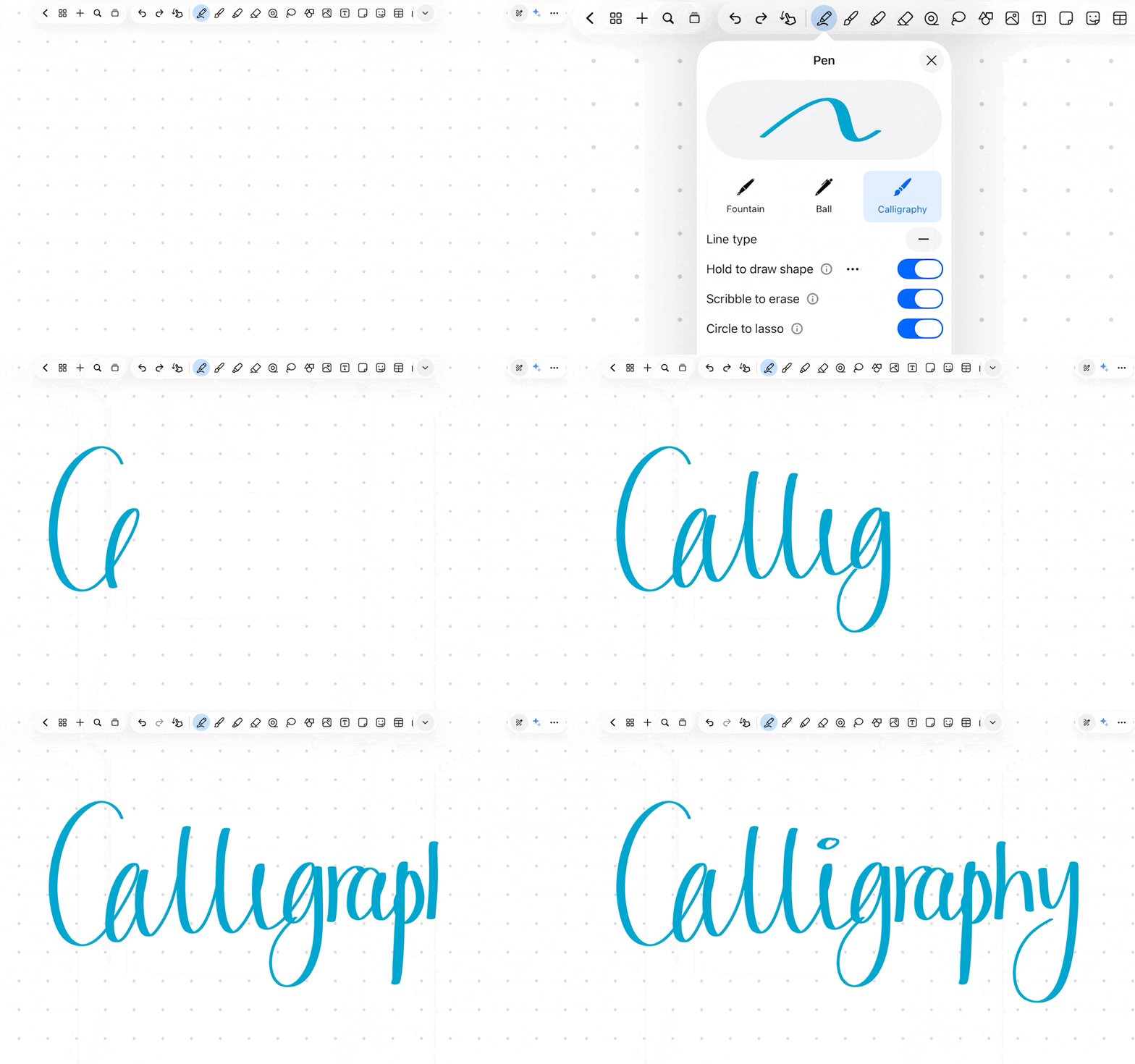
  • Meet Calligraphy Pen. The new upgrade to Notewise's pen collection. Write beautifully, think freely.
  • Sticky Notes and Table got smarter: Add text, drop in images, move everything as one.
  • Page-Level Undo/Redo is here for every rotate, reorder, and "wait, no" moment.
  • And a few quiet fixes. Even the best notepads have a scratch page.

Notewise Android

  • Meet Calligraphy Pen. The new upgrade to Notewise's pen collection. Write beautifully, think freely.
  • Sticky Notes and Table got smarter: Add text, drop in images, move everything as one.
  • Page-Level Undo/Redo is here for every rotate, reorder, and "wait, no" moment.
  • And a few quiet fixes. Even the best notepads have a scratch page.

Earlier updates