Can I turn off Notewise AI?
Notewise AI is integrated with Notewise Cloud, so it cannot currently be completely disabled while you use Notewise Cloud. You can reduce automatic AI Note activity by changing your settings. If you prefer your notes to remain entirely local, you can also use Notewise without Notewise Cloud.
Your notes are not used to train AI models
If you use Notewise Cloud, your content is stored and processed to provide cloud functionality such as synchronization, search, sharing, and AI-powered features. Some AI features, including AI Notes and summaries, may operate automatically.
When an AI feature requires one of our AI service providers:
We send only the AI Input necessary to provide that feature.
We do not use your notes, AI Inputs, or AI Outputs to train generative AI models, and we configure our AI services so that providers are not permitted to use your content for model training.
Some AI service providers may retain processed information for a limited period for purposes such as security, abuse prevention, legal compliance, or service operation. This does not permit the information to be used for model training.
We do not sell or rent your personal data.
Reduce automatic AI Note activity
While Notewise AI cannot currently be completely disabled when using Notewise Cloud, you can reduce automatic AI Note activity with the following settings:
Switch AI Notes to Manual mode: Change AI Notes from automatic to Manual mode. This prevents the AI Note from automatically indexing and regenerating whenever you update your source content. It will only regenerate when you choose to do so manually.
Manual Mode only applies to reindexing and regeneration. Currently, the initial AI Note generation and index processing cannot be disabled when a note is newly created or a document is imported.
Therefore, even if you select Manual Mode, you may still see some AI usage after creating a new note or importing a document.
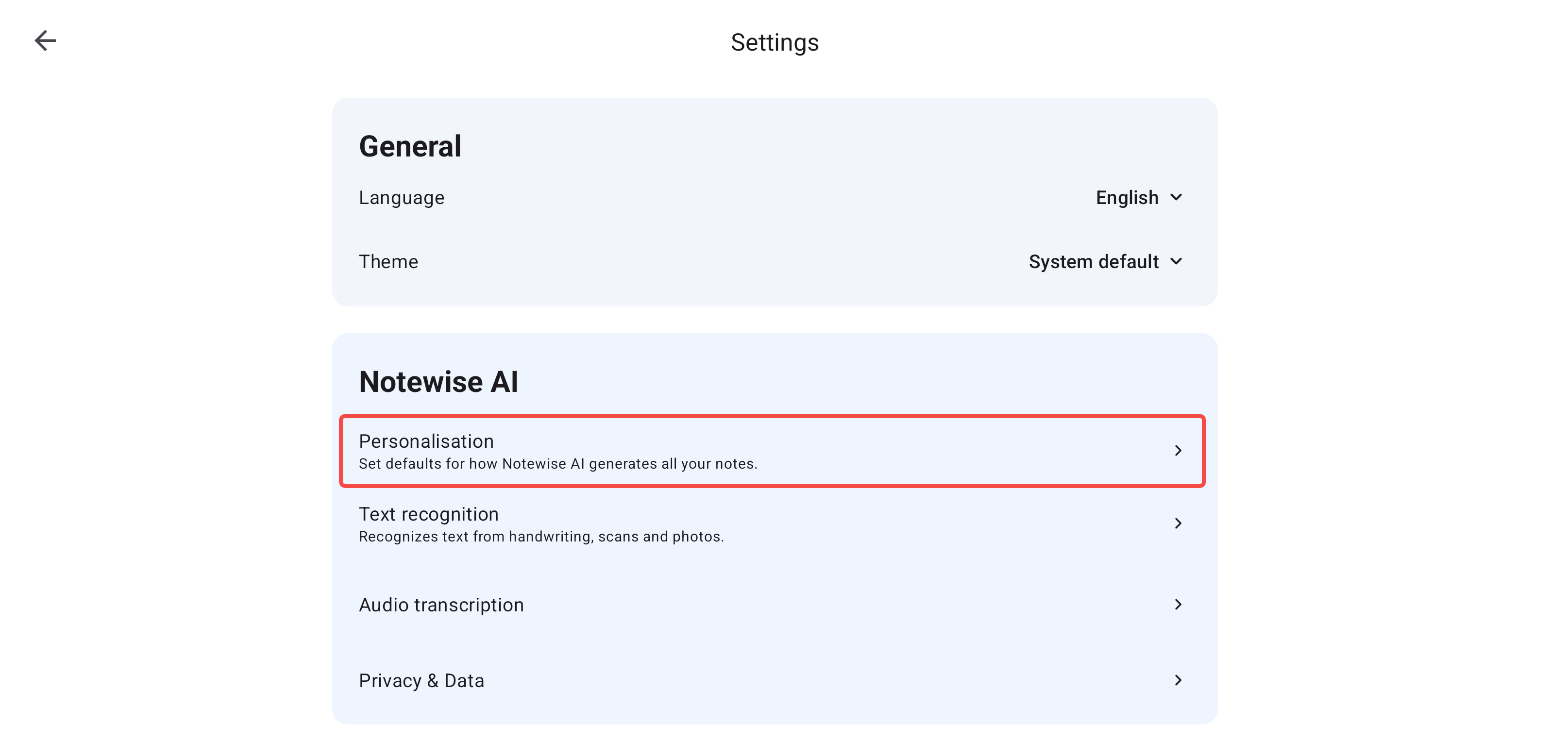
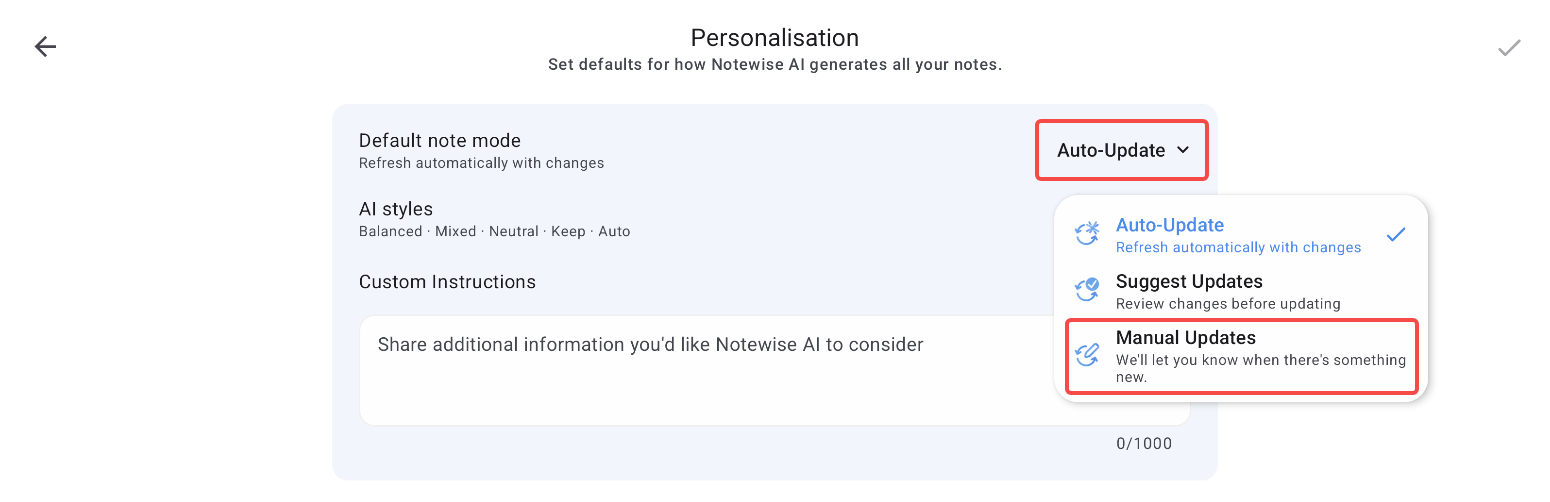
Please note that Manual mode controls automatic AI Note regeneration and does not mean that all cloud processing or AI-related functionality associated with Notewise Cloud has been disabled.
Using Notewise without Cloud
Notewise can also be used locally without Notewise Cloud. If you do not use Notewise Cloud, your notebook and document content remains stored on your device and is not uploaded to our servers or processed by our AI services.
Privacy Policy
You can find additional details about how we process, store, and protect your information in our Privacy Policy at https://www.notewise.dev/privacy-policy.
Was this helpful?
Still need help? Ask the team