How to improve smoothness and latency of writing
Notewise automatically smoothes your writing and applies smart algorithms to reduce the latency of your writing.
Notewise automatically refines your writing by applying smart algorithms that minimize writing latency. While we've optimized Notewise to work seamlessly on most devices, its performance and appearance may vary depending on your specific device and input method.
If you find that the current writing experience isn't as fluent or smooth as you'd like, you may try the following:
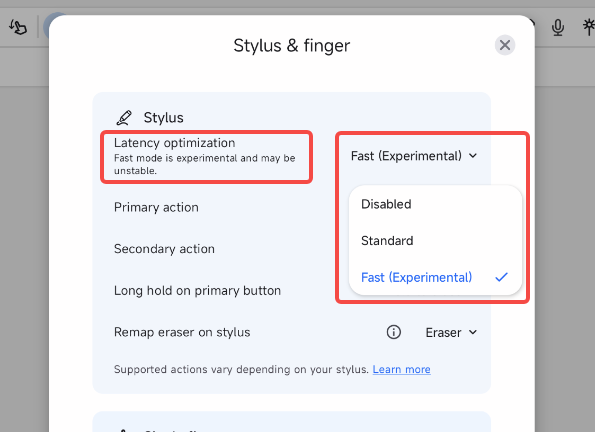
Try out the different Latency Optimization Level to in settings.
Note: For Android users, the experience might be sub-optimal on older Android versions (Android 10 and below).
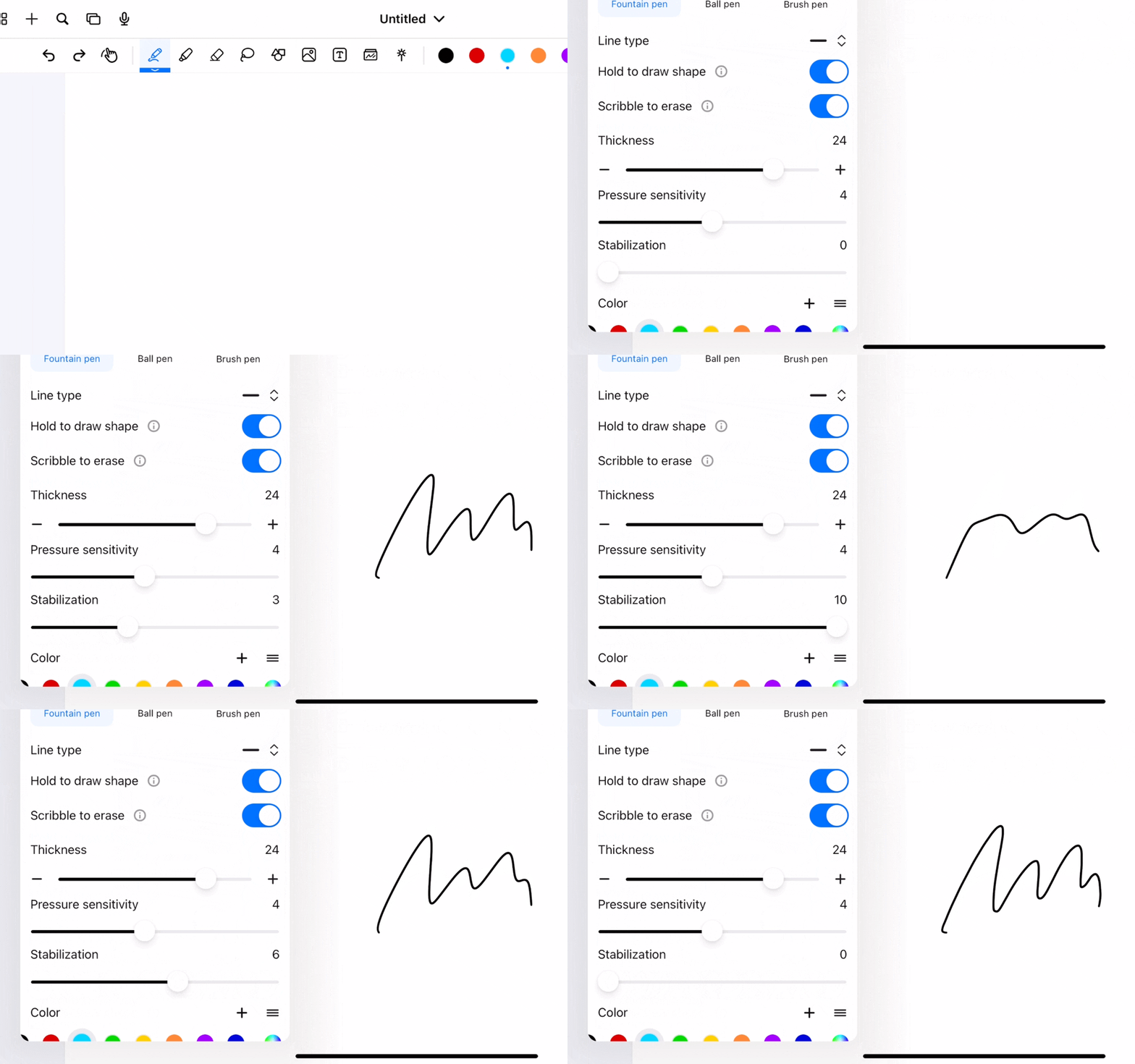
Change the Stabilization level inside Pen settings (Notewise 2.11 and above). Typically the higher the Stabilization level, the less responsiveness it is.
Was this helpful?
Still need help? Ask the team