How to enter an activation code in Notewise for Android
Follow these simple steps to activate Notewise Classic Unlimited after purchasing from our website (for Android only).
Note: If you've purchased from Google Play Store or from Apple App Store, no activation code is needed. please visit this FAQ instead.
Follow these steps to activate Notewise Unlimited after purchasing via our website https://www.notewise.dev/pricing:
Open the Notewise app. Ensure that you're signed out as Notewise Classic Unlimited only works when you're signed out.
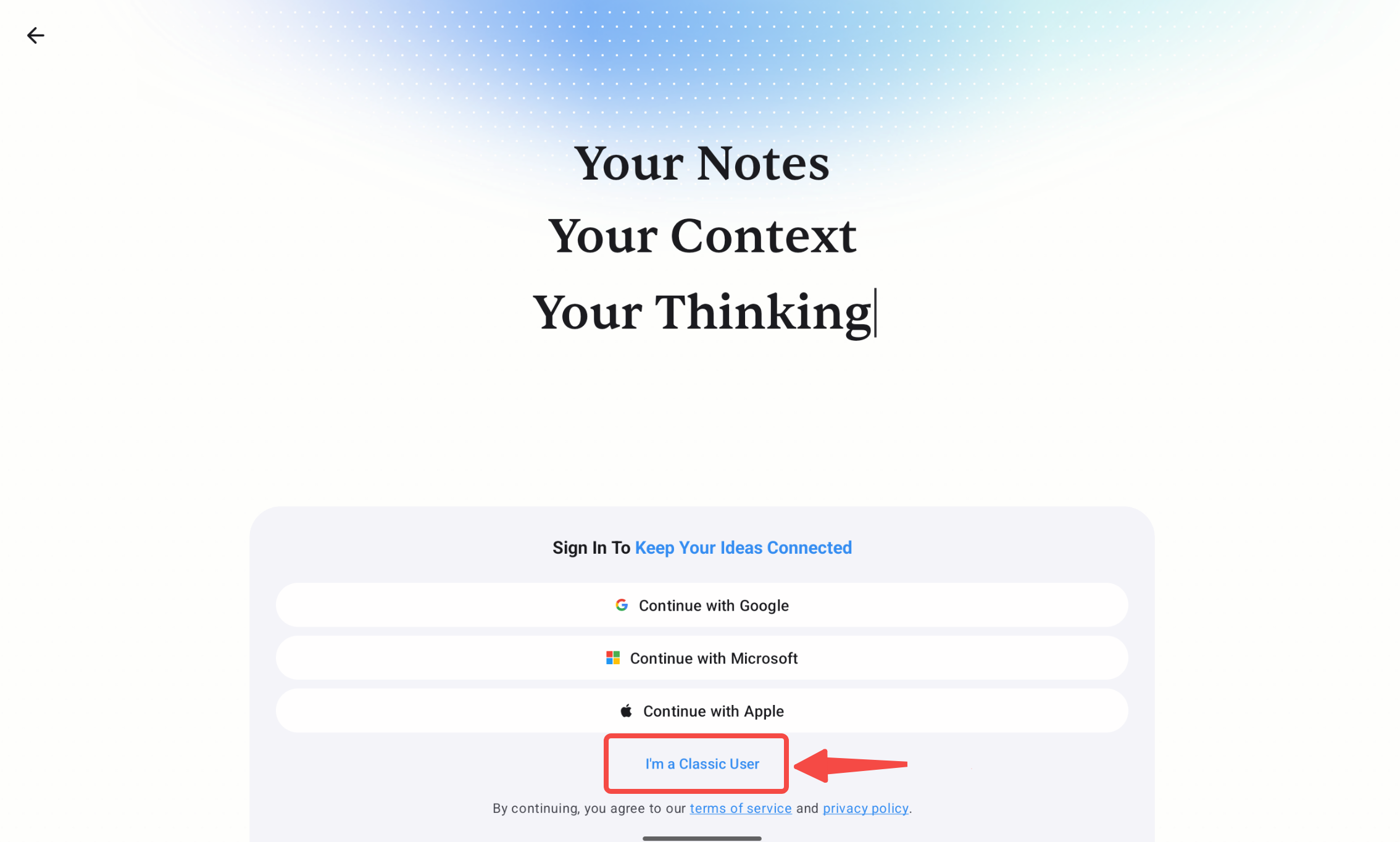
If you are at the sign-in page, tap I’m a Classic User option.
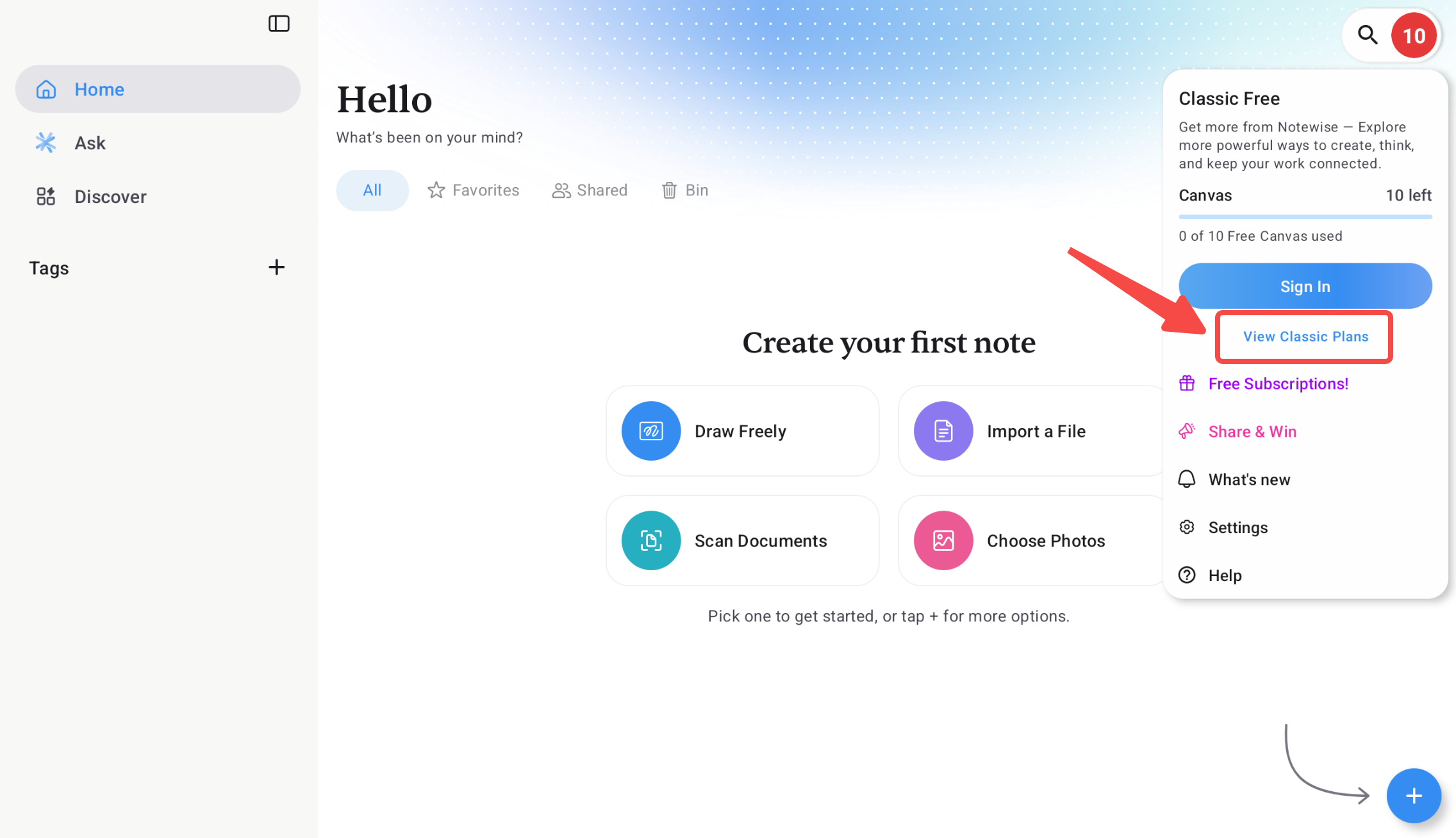
Tap the note count indicator at top-right of the home screen, then tap View Classic Plan.
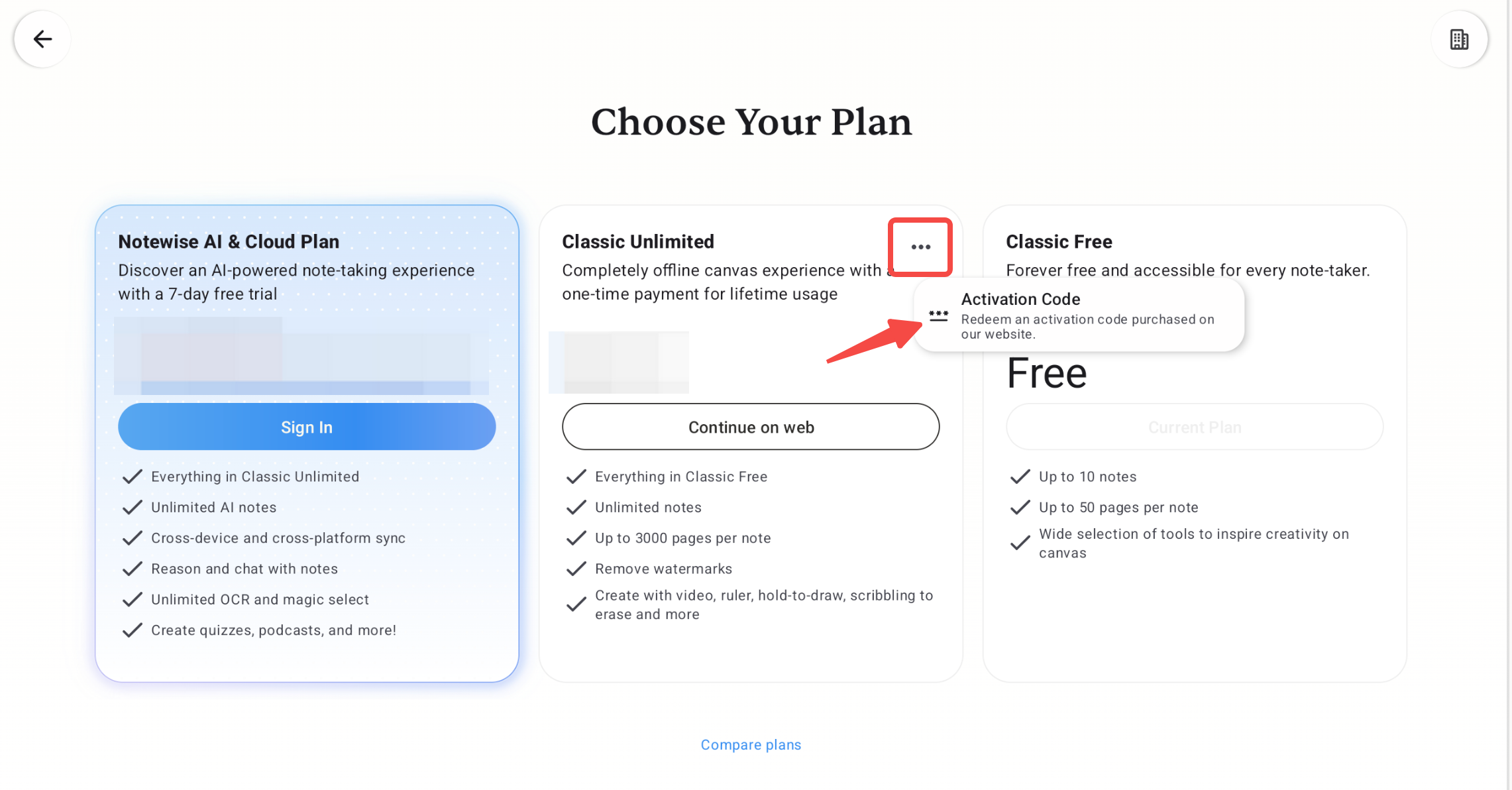
Selected Notewise Classic Unlimited and go to the Activation Code option.
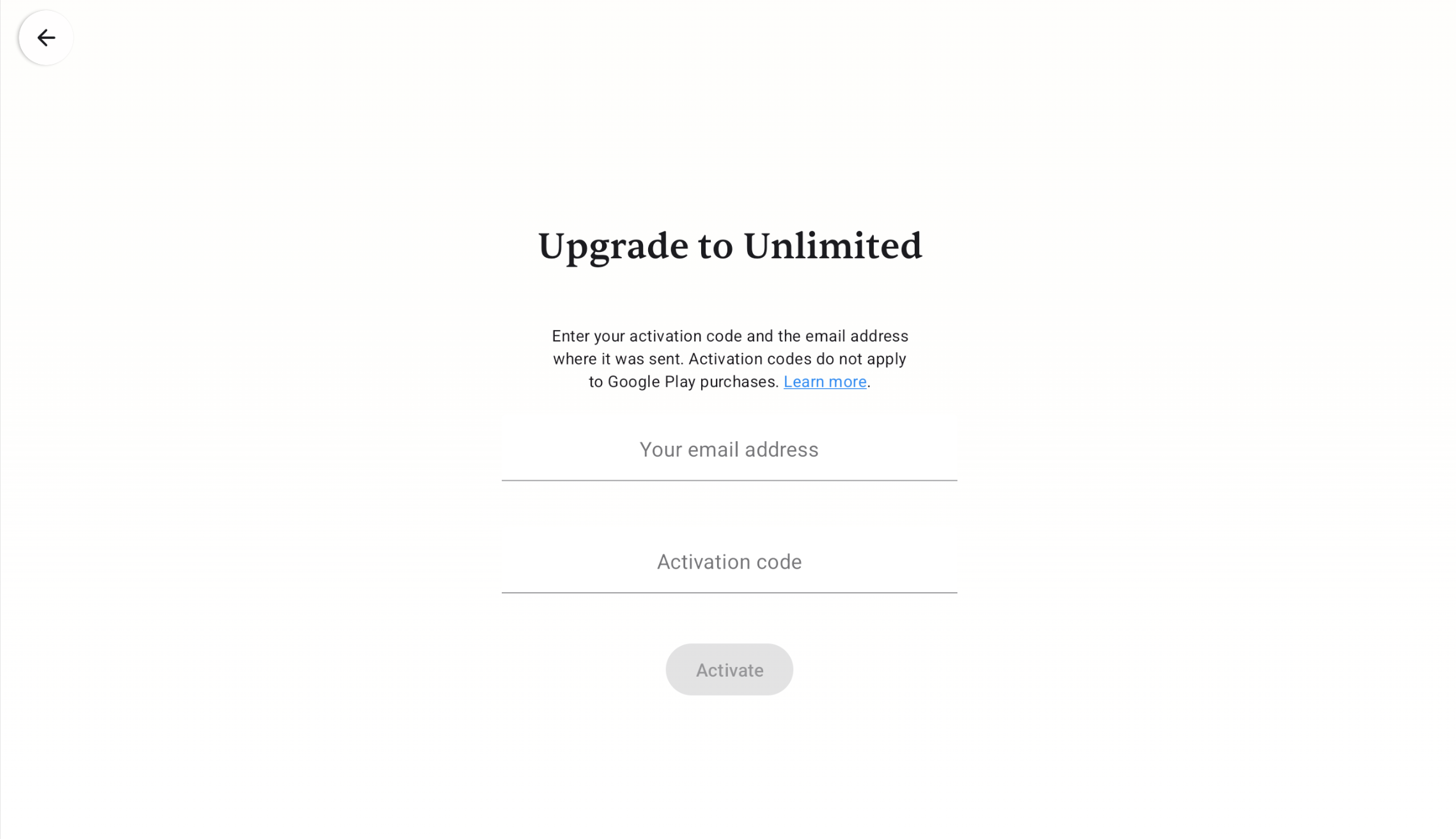
Enter the activation code sent to your email earlier. Be sure to check both your inbox and spam folder.
That's it! Enjoy all the premium features of Notewise Classic Unlimited.
If you have used your activation code on one device and would like to use it on another, you will need to deactivate the previous activation first. Simply enter the activation code on the new device, and the deactivation option will appear automatically. You do not need access to the old device to complete this process. (Please refer to the last screenshot on this page)
Was this helpful?
Still need help? Ask the team