Where can I find or delete purchased templates?
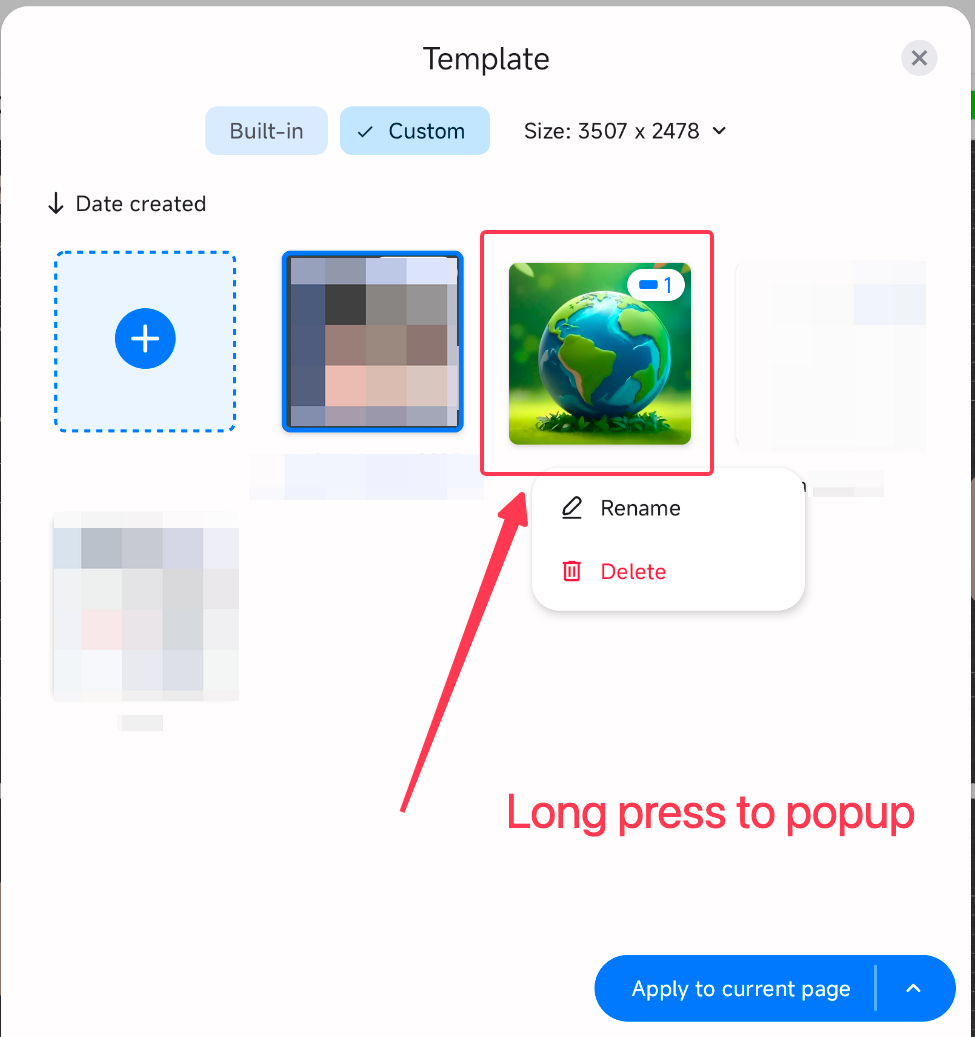
Purchased or downloaded Marketplace templates are stored in your Custom templates. You can find them from the template menu inside any note, and you can delete them either from Marketplace or from Custom templates.
Find purchased templates
Open any note in the app.
Tap the three-dot menu in the top-right corner.
Select Change templates.
Choose Custom templates.
Your purchased or downloaded Marketplace templates will appear here.
Delete from Marketplace
Open Marketplace.
Find and tap the template that you’d like to delete.
Tap Downloaded.
Tap Delete to remove the template.

Delete from Custom templates
Open any note in the app.
Tap the three-dot menu in the top-right corner.
Select Change templates.
Choose Custom templates.
Find the template you want to delete, then press and hold it.
Tap Delete to remove the template.
Was this helpful?
Still need help? Ask the team