How to copy content from other apps and paste into Notewise?
Copy text and images from other apps and paste them into Notewise.
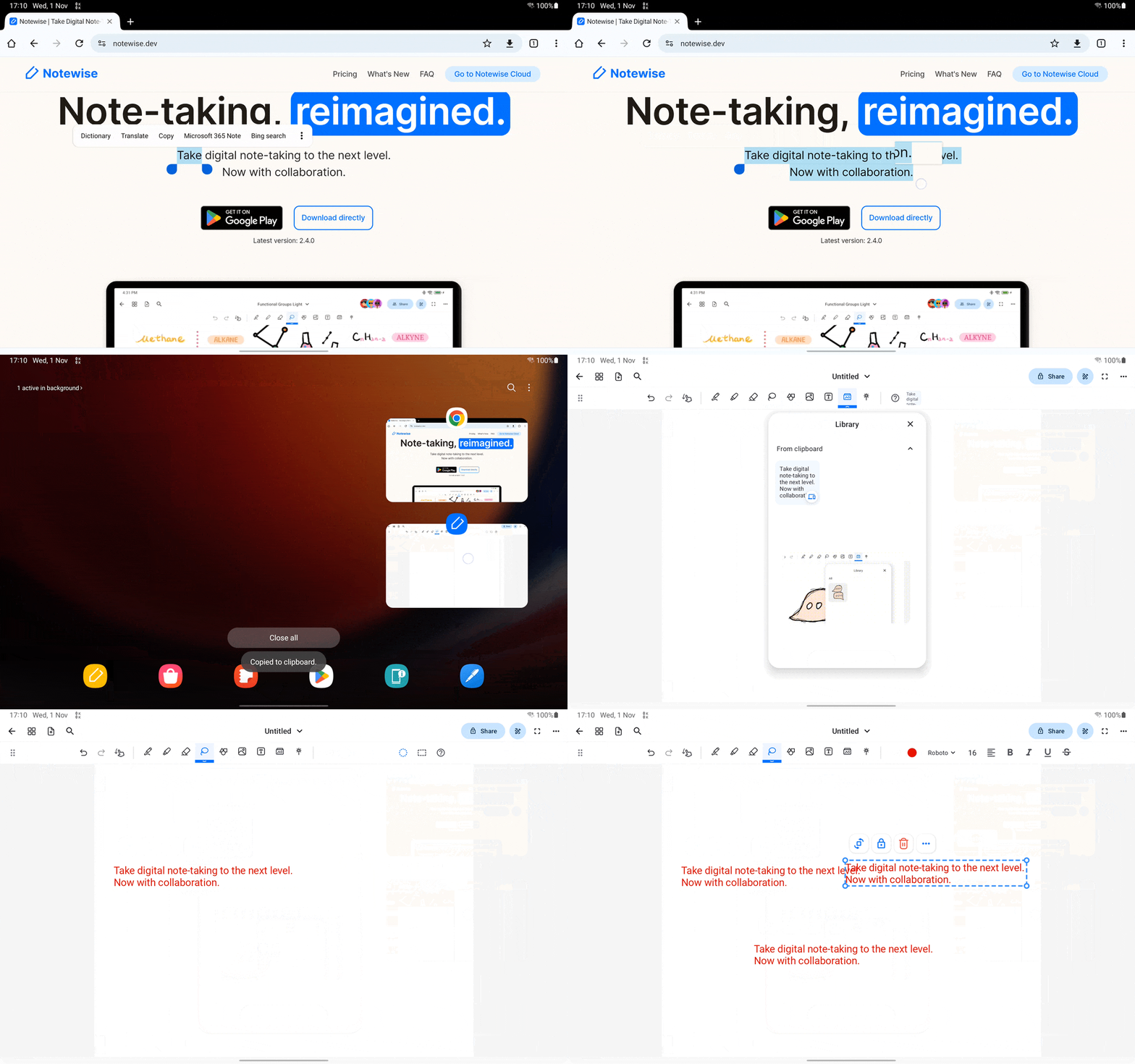
You can copy text and images from others apps and then paste into Notewise via the following steps:
- Copy text or image from other apps
- Go to Notewise app, open library tool and drag your copied content inside Clipboard
- Alternatively, you can long tap anywhere to paste your copied content (Make sure that you're not in scrolling mode). This feature is only supported on Notewise 2.4.0 and above.
Was this helpful?
Still need help? Ask the team