Gesture shortcuts
Learn which gesture shortcuts Notewise supports and where to customize them.
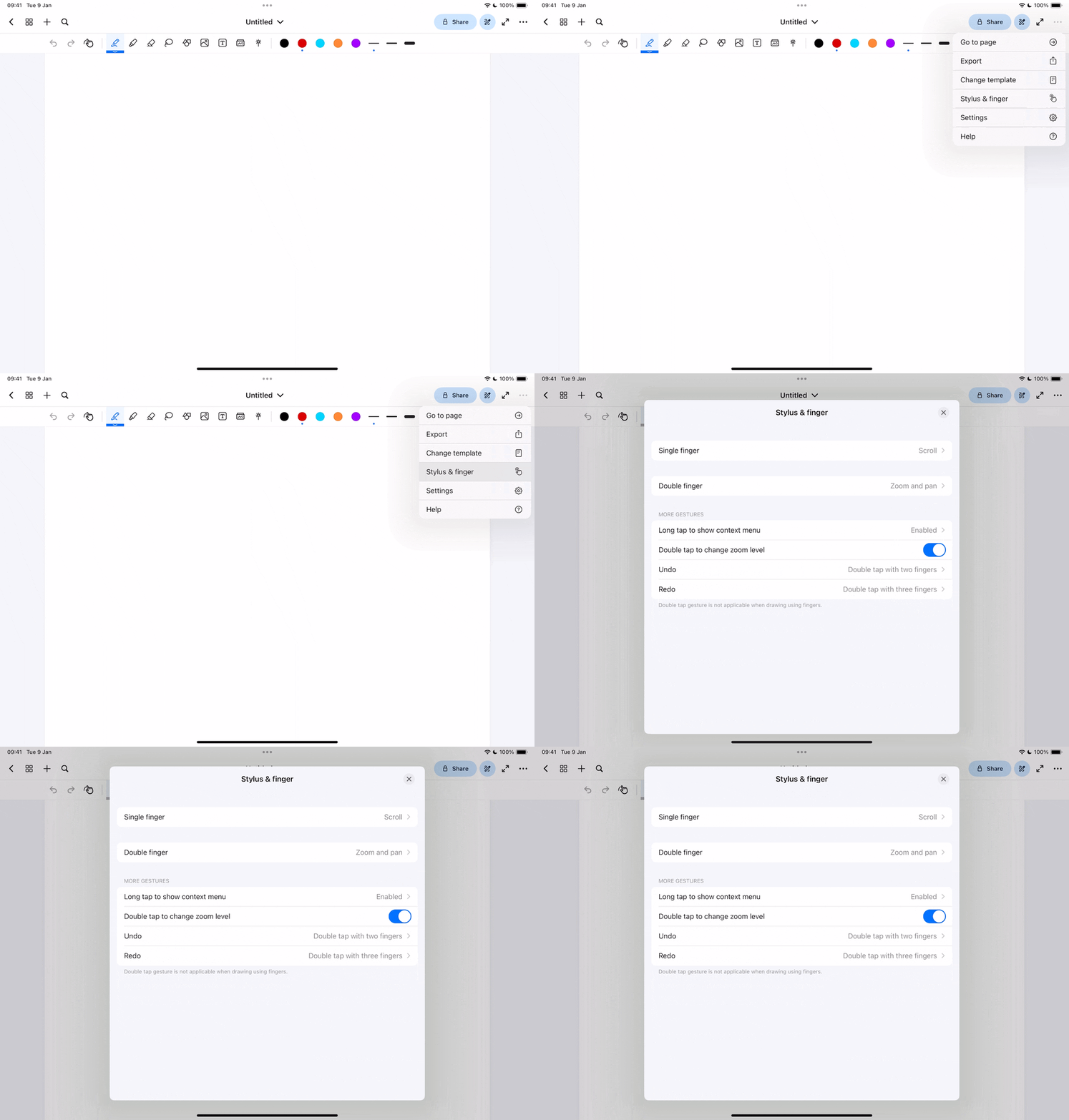
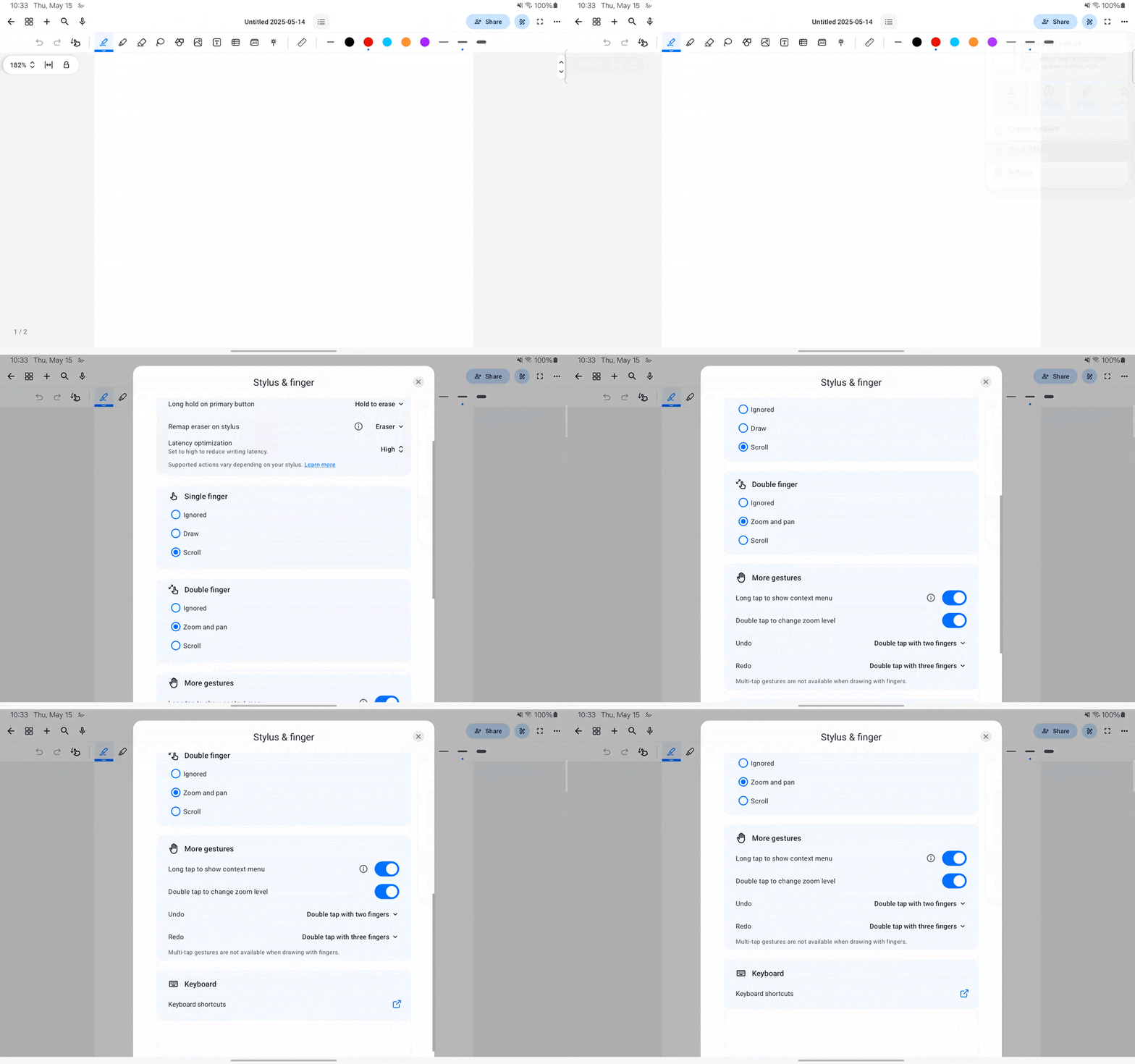
Notewise offers a range of customizable gesture shortcuts accessible through the Stylus & Finger settings. For a detailed overview, kindly explore the settings.
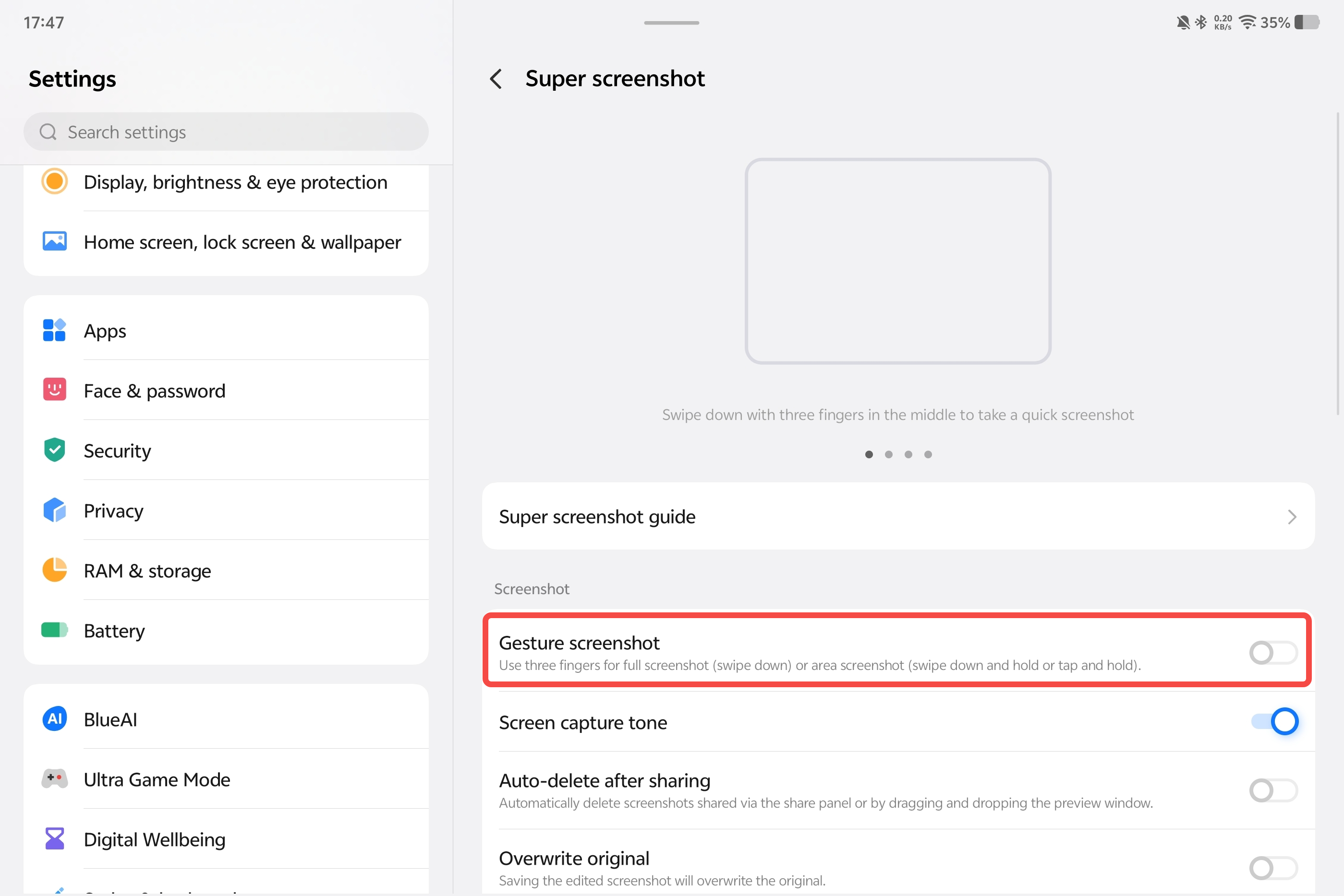
Please note that on certain devices, such as Xiaomi devices, the three-finger gesture may not function as intended due to system-level features intercepting it. You can try disabling the conflicting gesture in your device’s settings, though this may not resolve the issue on all devices. In such instances, you have the option to switch to a two-finger gesture instead.
For iOS
For Android
Was this helpful?
Still need help? Ask the team